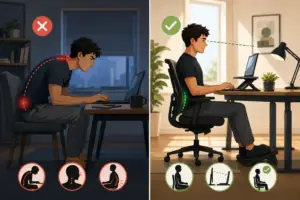
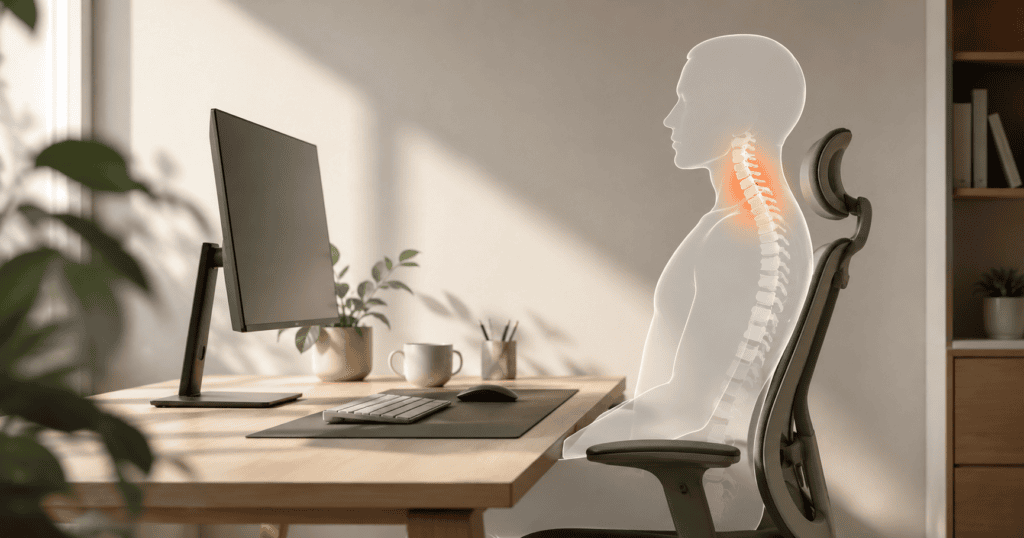
If you work a desk job, you probably know the feeling all too well. By 3:00 PM every afternoon, there is a dull, heavy ache creeping up the back of your neck, spreading into your shoulders, and ending in a nagging headache.
Most people blame it on stress, getting older, or just a busy day.
In reality, your body is simply crying out for help because of how your desk is laid out. You don’t need a thousand-dollar ergonomic office chair to fix this. You just need to understand how your physical setup forces your muscles to work double-time.
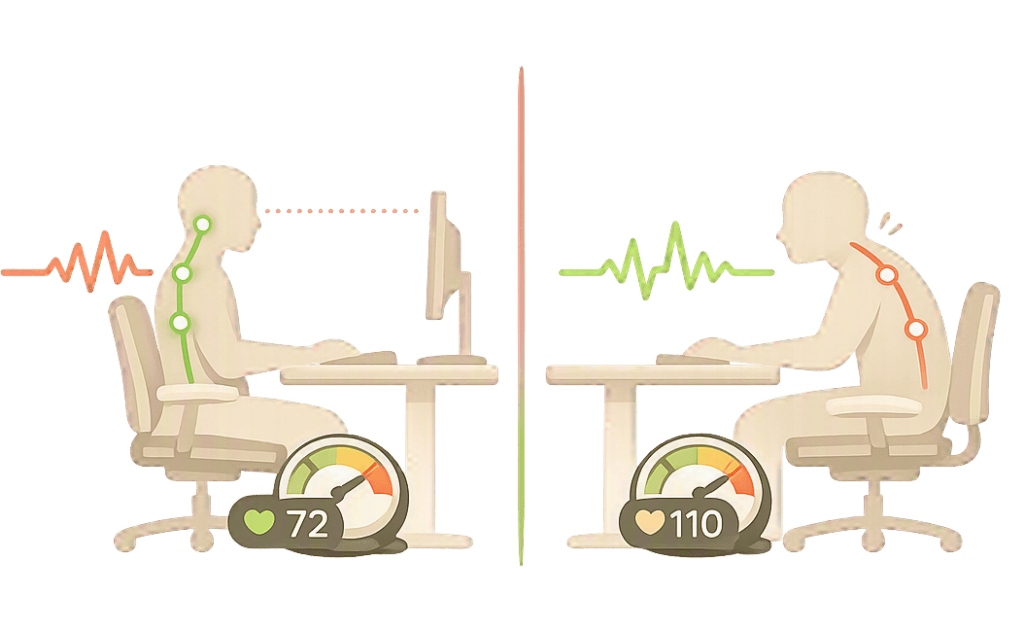
1. The Heavy Bowling Ball: The Reality of Tech Neck
To understand why your neck hurts, it helps to look at basic physics.
The Weight of Your Head
In a neutral position—when your ears sit directly over your shoulders—your head weighs around 10 to 12 pounds. Your neck muscles and spine are designed to support this weight effortlessly all day long.
The Tilt Effect
The moment you lean your head forward to read a laptop screen sitting low on your desk, the math changes completely. Tilting your head forward just 30 degrees increases the strain on your neck to nearly 40 pounds. That is like hanging a heavy bowling ball from your neck for eight hours straight. No wonder your upper back feels like a knot of iron by the end of the week.
2. Screen Height and Elbow Angles: The Two Quick Fixes
You can fix 90% of your daily desk discomfort by adjusting just two physical levels in your workspace.
Elevate Your Display
Your eyes naturally rest slightly below the top of your screen. If you use a laptop, resting it flat on your desk forces you to look down, pulling your chin toward your chest. Put your laptop on a stand—or stack it on a few thick books—until the top line of text on your screen sits right at eye level.
Rest Your Forearms
Your forearms should rest parallel to the floor, forming a relaxed 90-degree angle at your elbows when you type. If your chair is too low, you have to shrug your shoulders to reach the keyboard, which traps tension in your upper back. If your chair is too high, your wrists bend awkwardly against the sharp edge of the desk.
The Workspace Ergonomics Checklist
Check your current desk setup against these three simple physical checkpoints:
The Eye-Level Horizon: When you look straight ahead without tilting your neck, your eyes hit the top third of your computer screen.
Flat Feet on the Floor: Your feet rest flat on the floor, with your knees bent at a comfortable right angle (if your feet dangle, use a footrest or a small box).
The Armrest Clearance: Your shoulders stay completely relaxed down, away from your ears, while your hands sit comfortably on the keyboard.
Simple Habits to Undo Desk Tension
Easy Food & Fluid Tips
Drink Water from a Small Glass: Instead of keeping a massive two-liter water bottle at your desk, use a small glass. This forces you to stand up and walk to the kitchen or water cooler every hour to refill it.
Keep Hydrating Snacks Nearby: Swap out dry, salty crackers for water-rich fruits like fresh apples, cucumbers, or berries. Proper hydration keeps your spinal discs cushioned throughout the workday.
Practical Desk Exercises
The Doorway Chest Stretch: Once every few hours, stand in a doorway, place your forearms against the frame, and gently step forward. This stretches out your chest muscles, which naturally tighten when you sit at a computer.
The Chin Tuck Reset: Sit up straight, look straight ahead, and gently pull your chin back as if you are making a double chin. Hold for three seconds and release. Repeat five times to wake up the deep muscles in the front of your neck.