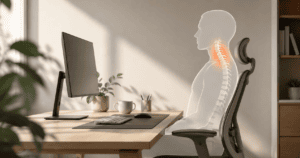
Working from home gives you great freedom. But it can also cause bad physical pain.
Many remote workers type on the sofa or use cheap kitchen chairs. Over time, these small errors cause big problems. You might get bad headaches, lower back aches, or sore wrists.
Setting up a healthy desk layout is easy. It is the best way to work without pain.
1. Why Hunching Hurts Your Back
Your spine has a natural, healthy curve. When you sit up straight, your skeleton carries your body weight easily.
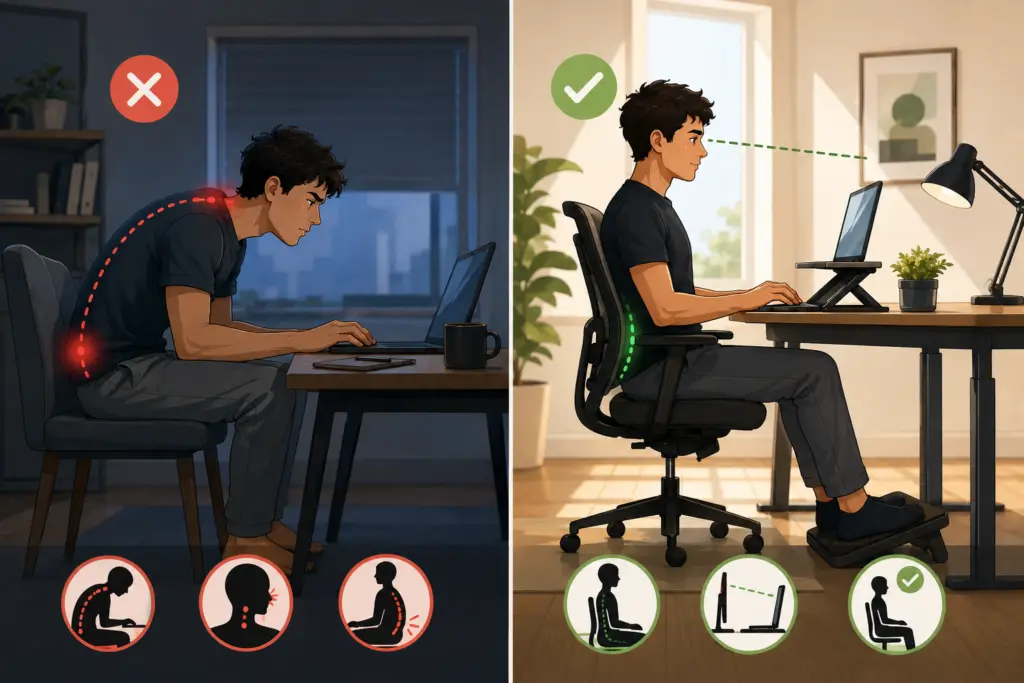
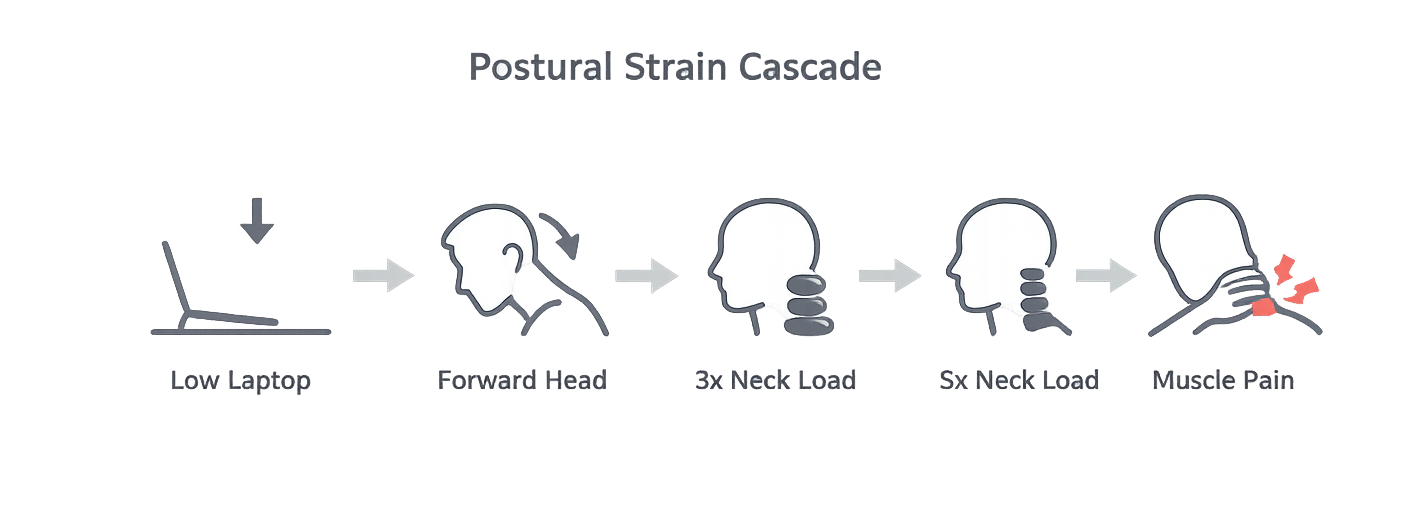
When you hunch forward over a low laptop, your muscles take the load.
For every inch your head leans forward, you add 10 pounds of extra stress to your neck. Your neck muscles must squeeze hard just to hold your head up. This constant squeezing stops healthy blood flow. That is why you get painful knots in your upper back.
Is Your Desk Layout Bad?
Check your home office for these three common desk setup mistakes right now:
The Laptop Only Trap: You type directly on your laptop screen while looking down. This rounds your upper spine.
Floating Feet: Your chair is too high and your feet cannot touch the floor. This strains your lower back and nerves.
The Long Reach: Your keyboard is too far away. You must stretch your arms forward to type, which hurts your shoulders.

Simple Solutions for a Pain-Free Desk
Foods That Support Your Joints
Boost Your Collagen: Your spine discs and joints need collagen to stay healthy. Drink bone broth. Eat foods high in Vitamin C, like citrus fruits and bell peppers, to help your body build new tissue.
Use Turmeric: This yellow spice reduces joint and muscle swelling naturally. Add it to your meals with a dash of black pepper.
Easy Office Setup Fixes
Use the 90-Degree Rule: Keep your feet completely flat on the floor. Adjust your chair so your knees bend at a clean 90-degree angle. Keep your elbows at your side while you type.
Raise Your Monitor: Place your screen on a stand or a stack of books. The top third of your monitor should align with your eyes. This simple change keeps your neck completely straight.
The Ergonomic Failure Self-Check
Check your current desk layout for these three red-flag setups right now:
The Laptop-Only Trap: You are typing directly on your laptop keyboard while looking down at its attached screen, forcing a permanent downward gaze and a rounded upper spine.
The Floating Footing: Your office chair is raised so high that your feet cannot rest flat on the floor, shifting your core balance and putting extreme physical pressure on your sciatic nerve.
The Elbow Reach: Your keyboard and mouse are placed so far back on your desk surface that your elbows are forced to reach forward, placing continuous strain on your rotator cuffs and forearms.
Dietary Support & Home Adjustments for Structural Integrity
Muscle and Tissue Integrity Nutrition
Maximize Collagen and Vitamin C Co-Factors: Your spinal discs, tendons, and ligaments are composed almost entirely of dense structural collagen. Support tissue repair by combining bone broth or collagen peptides with foods high in Vitamin C (citrus fruits, bell peppers, strawberries), which is the non-negotiable cofactor your body requires to cross-link and synthesize new collagen fibers.
Incorporate Anti-Inflammatory Turmeric Extracted Curcumin: Chronic postural strain causes localized, low-grade muscle tissue inflammation. Use fresh turmeric or high-quality curcumin extracts combined with black pepper (piperine) to help damp down systemic inflammatory markers naturally.
Ergonomic Home Remedies
The 90-Degree Geometric Rule: Adjust your desk space so your body conforms to clean 90-degree angles. Your feet must sit entirely flat on the floor, your knees should form a 90-degree bend level with or slightly below your hips, and your elbows should rest at a 90-degree angle right at your side as you type on an external keyboard.
Elevate the Horizon Window: The top third of your external computer monitor screen should sit exactly at your natural, resting eye level. This simple adjustment forces your cervical spine to stack vertically, lifting the massive mechanical load off your upper back muscles instantly.